Descrição
Invoshop – Ecommerce Flutter Template for Android & iOS
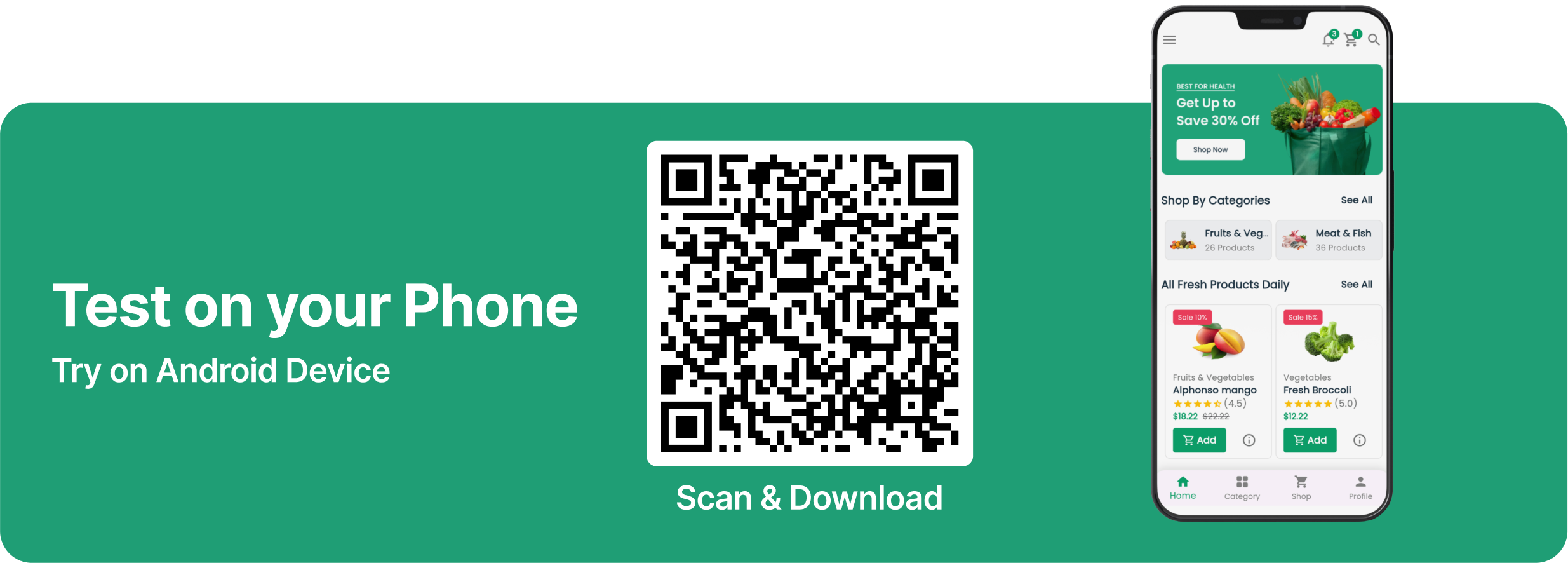
If you scan the above QR scanner, an app will be downloaded. This app needs to
be installed on your Android device and will run when you open it. This
QR-Scanner will not run on ios devices. If you want to run it on an ios
device, you have to run it locally.
Click here to download Invoshop app directly:
Download Now
Invoshop: The Ultimate E-Commerce Flutter UI Kit for Grocery Platforms
Invoshop is a powerful and versatile Flutter UI template designed specifically for grocery e-commerce platforms. This kit provides stunning, ready-to-use screens, reusable widgets, and complete app templates that help developers quickly build grocery-focused mobile applications. With Invoshop, you can easily integrate a modern and user-friendly design into any Flutter project, significantly reducing the time spent on design and UI development.
Features Overview
-
Complete UI Template
A professionally designed app template specifically tailored for grocery e-commerce platforms. It provides all the essential screens and UI components needed to create a fully functional grocery shopping app
-
Reusable Components
Designed with modularity in mind, Invoshop offers reusable widgets that can be seamlessly integrated into your Flutter project, saving valuable development time
-
Stunning User Interface
Featuring a clean, modern, and intuitive design that enhances user experience and encourages engagement.
-
Highly Customizable
Easily modify colors, fonts, and layouts to match your branding and project needs. The template is designed to be flexible and developer-friendly.
-
Responsive Design
Invoshop ensures your app will look great and function flawlessly across all smartphones devices.
-
Optimized for Performance
Efficient and lightweight UI elements ensure fast load times and smooth navigation.
-
Pre-Built Screens for Grocery Apps
Includes key e-commerce screens such as product listing, product details, shopping cart, checkout, user profile, and more, all specifically designed for grocery-based applications
-
Ready-to-Use Search & Filter Components
Built-in functionalities to help users easily find and browse grocery products.
Why Choose Invoshop?
Invoshop is more than just a UI template; it’s a comprehensive starting point for developers looking to create a modern grocery e-commerce app without worrying about the complexities of UI design. By providing pre-designed templates and components, Invoshop allows you to focus on adding custom functionality to your app, speeding up development while ensuring a professional look and feel.
Note: Invoshop is a UI template only . It provides the design and structure for your grocery e-commerce platform but does not include backend.
Built with Flutter: Invoshop is built using Flutter, a powerful framework that allows for flexible customization and seamless performance across Android and iOS platforms.
Full Features List
- Flutter E-Commerce UI Kit
- Complete App Templates
- Modern & Intuitive Design
- Reusable Components
- Payment Method Demo
- Smooth Drawer Navigation
- High Performance
- Fully Responsive UI
- Best UI & UX
- 31+ Total Screens
- Touch Friendly
- Flutter Navigation
- Developer Friendly Code
- Easy to Understand Code
- Smooth Transition Effects
- Flutter Updated Version
- Well-Organized and Named Layers
- Clean Code and a well-structured project
- Single code base for both Android & iOS
What Screens Include?
- 01. Splash Screen
- 02. Onboarding Screen (1)
- 03. Onboarding Screen (2)
- 04. Onboarding Screen (3)
- 05. Sign In Screen
- 06. Sign Up Screen
- 07. Forgot Password Screen
- 08. Homepage Screen
- 09. Notification Screen
- 10. About Screen
- 11. Brand Screen
- 12. Shop/Product Screen
- 13. Product Details Screen
- 14. Refund Policy Screen
- 15. Contact Us Screen
- 16. Terms & Condition Screen
- 17. Settings Screen
- 18. Category Screen
- 19. Profile Screen
- 20. Order History Screen
- 21. Wishlist Screen
- 22. My Cart Screen
- 23. Reviews Screen
- 24. Combo Offers Screen Screen
- 25. Shipping Address Screen
- 26. My Coupons Screen
- 27. Track Order Screen
- 28. My Transaction Screen
- 29. Edit Profile Screen
- 30. Checkout Screen
- 31. Order Success Screen
Sources and Credits
- Flutter
- Flutter Onboarding Slider
- Flutter SVG
- Carousel Slider
- Shared preferences
- Get
- Google Fonts
- Pin Code Fields
- Flutter Credit Card
- Flutter Toast
Fonts Used
- Poppins
Image Credits
Change Log-
Version 1.0.2, 10 October, 2024
- Update Product Card UI
- Update Icon
- Update Header