

Descrição
#1 Online Food Ordering, Order Management and Delivery System on CodeCanyon
Live Demo https://themelooks.net/demo/foodbook/

Watch Video Overview: How FoodBook Works?
Demo Users:
Please place an order before checking the demo users.
Demo/Products: https://themelooks.net/demo/foodbook/
Login URL: https://themelooks.net/demo/foodbook/admin/
Branch Manager
Username: bmanager
Password: 123456
Kitchen Manager
Username: kmanager
Password: 123456
Delivery Man
Username: dboy2 or dboy3
Password: 123456
Buy FoodBook Plugin first before buy this Add-on

FoodBook | Online Food Ordering & Delivery System for WordPress with One-Click Order Printing
You May Also Need FoodBook Add-ons

FoodBook Multibranch Add-on

FoodBook Multi-delivery Fees Add-on
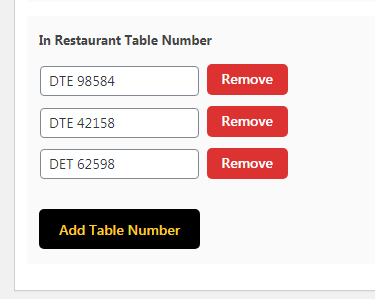
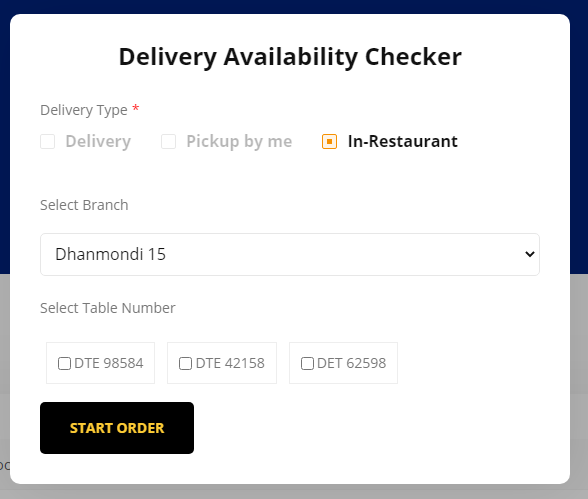
FoodBook In-Restaurant Orders is an Add-on for the “FoodBook | Online Food Ordering system for WordPress” plugin for taking orders from in-restaurant customers by the table numbers they are sitting and serve them at their table. Anyone can easily update/edit this plugin by following our Well Sorted Online Documentation.

Frequently Asked Questions:
– Is this an Individual Food Ordering System/Plugin?
Ans: No, it’s just an Add-on for “FoodBook | Online Food Ordering system for WordPress” plugin. Without FoodBook plugin this Add-on will not work.

Main Features of FoodBook In-Restaurant Orders:
- In-Restaurant Orders Taking System
- Order with selecting restaurant table number
- Single branch table number add option
- Foodbook Multi-Branch table number add option
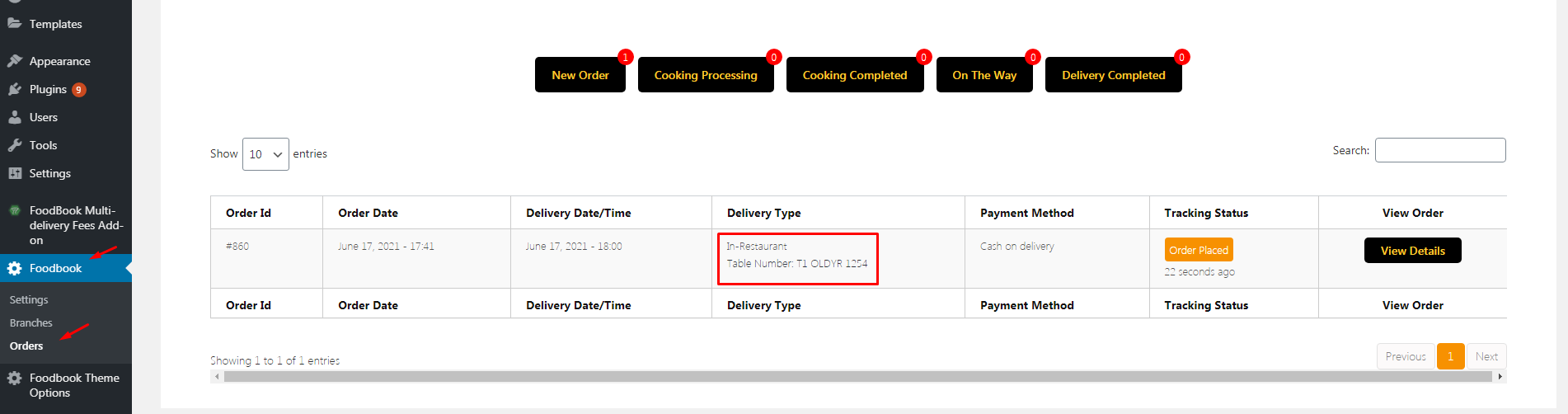
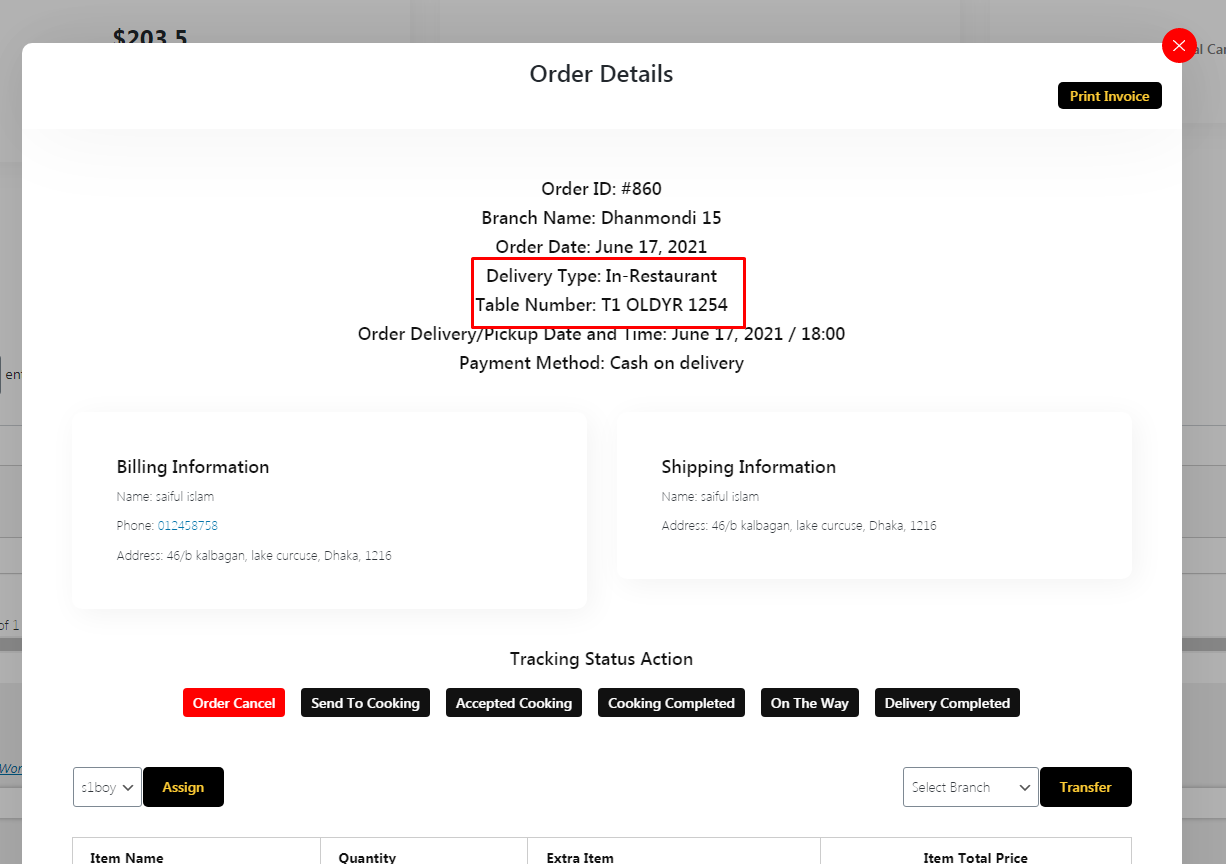
- Table number show in admin order table and order details
- Easy Settings options
- Translation ready
- Fully Responsive
- Compatibility with WordPress 5.7.x
- Error free code
- Free Updates
- Well Shorted Online Documentation
Installation:
The Easy Way
Download “FoodBook In-Restaurant Order Add-on” and then extract the zip file and just drop the contents in the wp-content/plugins/ directory of your WordPress installation and then activate the Plugin from Plugins page.
P.S.: Without “FoodBook | Online Food Ordering system for WordPress” plugin this Add-on will not work.
SOURCE AND CREADITS
Photos:
- All ‘images’ used on the demo site is for demonstration purposes only and are not included in the main download file.
UPDATES & CHANGE LOGS
Version 1.0
// # List of updates
// ------------------------------

[*]